Tax Information Authorization
Let someone see your IRS records without representing you. Answer a few questions in ChatGPT or Claude and get the official 8821, filled in and ready to sign.
- For
- Individuals and businesses who want a tax professional, lender or other third party to see their IRS records
- Time
- About 5 minutes
- Price
- $4.90, one-time · Government fees not included
You review the filled PDF before you pay. Then you sign it and file it yourself.
4.8 · 327 reviews for this formUpdated November 28, 2026 · Latest edition
 Official PDF · latest edition
What you'll need
- 1Your name, address, SSN or EIN and daytime phone
- 2Each designee’s name and address, and their CAF number or PTIN if they have one
- 3The tax type, form number, years or periods and matters to share
- 4Copies of any earlier Forms 8821 you want to keep in effect
The guide
Form 8821, explained
Key points
- Form 8821 lets a third party see your IRS records. It doesn’t let them represent you; that is Form 2848.
- List specific tax types, forms and years. “All years” gets the form returned.
- A new 8821 revokes earlier ones unless you check line 5 and attach copies.
- Don’t sign it until every applicable line is completed.
What is Form 8821?
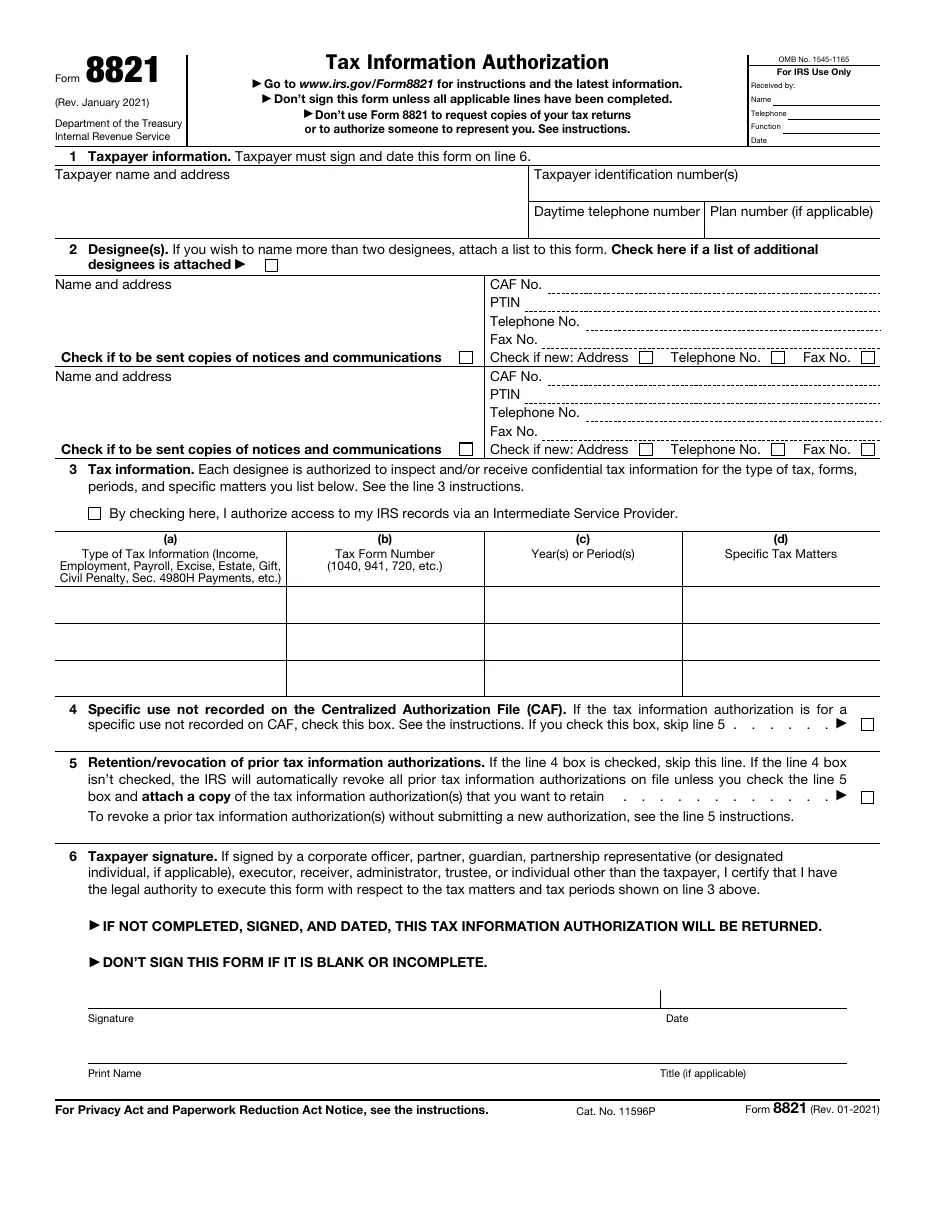
Form 8821 lets you authorize a person or company, such as an accountant or a lender, to see and receive your confidential IRS tax information for the tax types and years you list. It does not let them represent you or speak for you, and it is submitted to the IRS online, by fax or by mail.
Its official name is “Tax Information Authorization”. It is submitted to the IRS online at IRS.gov/Submit8821, by fax or by mail.
Who files it
Individuals and businesses who want a tax professional, lender or other third party to see their IRS records.
What you need before you start
- Your name, address, SSN or EIN and daytime phone
- Each designee’s name and address, and their CAF number or PTIN if they have one
- The tax type, form number, years or periods and matters to share
- Copies of any earlier Forms 8821 you want to keep in effect
Skip the instructions.
Answer a few questions in ChatGPT or Claude. We fill every box of your 8821.
How to fill out Form 8821, section by section
- Line 1Taxpayer informationYour name, address, SSN, ITIN or EIN, and daytime phone. Spouses each file their own form.
- Line 2DesigneesName and address of each designee, with CAF number, PTIN, phone and fax. Check the box if they should get copies of your notices. Attach a list for more than two.
- Line 3Tax informationType of tax, form number, years or periods, and specific matters. Check the box above the table only if your designee will use an Intermediate Service Provider.
- Line 4Specific useCheck only if the authorization is for a specific use the IRS doesn’t record on its CAF system. Then skip line 5.
- Line 5Keep prior authorizationsCheck it and attach copies to keep earlier 8821s in effect. Otherwise they are revoked.
- Line 6SignatureSign and date only after every applicable line is filled. An unsigned or undated form is returned.
Government fee
Free: the IRS charges no fee to file this form. Source: Instructions for Form 8821 (Rev. September 2021), which list no fee.
The $4.90 forms. fee is separate. Government fees are always paid directly to the agency.
Where Form 8821 goes
Online at IRS.gov/Submit8821, or by fax or mail to the IRS office for your state listed in the Form 8821 instructions. If you checked line 4, send it to the IRS office handling that matter.
Common mistakes to avoid
- Writing “All years” or “All taxes” on line 3.
- Signing the form while it is blank or incomplete.
- Forgetting line 5, which revokes your earlier authorizations.
- Using Form 8821 when you want someone to represent you. That takes Form 2848.
- Using Form 8821 to get copies of your returns. Use Get Transcript or Form 4506 instead.
When the free official option is enough
The IRS publishes a free fillable PDF of Form 8821, and a signed form can be uploaded online at IRS.gov/Submit8821 with a Secure Access account. A form with an electronic signature can only be submitted online. forms. is for when you'd rather answer questions in plain English and get a checked PDF.
Questions
- What is the difference between Form 8821 and Form 2848?
- Form 8821 only lets your designee see and receive your tax information. Form 2848, a power of attorney, lets an eligible representative act for you and represent you before the IRS.
- Can I write “all years” on Form 8821?
- No. A form with a general reference such as “All years”, “All periods” or “All taxes” is returned. List each tax type, form number and year or period, for example “2017 thru 2019”.
- Does a new Form 8821 cancel my old ones?
- Yes, unless you check line 5 and attach copies of the ones you want to keep. Without that, the IRS automatically revokes your earlier tax information authorizations.
- Is there a deadline to submit Form 8821?
- If it is for a purpose other than resolving a tax matter with the IRS, such as income verification for a lender, the IRS must receive it within 120 days of your signature date.
- Can my designee get my refund?
- No. A designee can never endorse or cash your refund check or receive your refund by direct deposit.
- Is this the official form?
- Yes. We fill the Form 8821 published by the Internal Revenue Service, in its latest edition. You sign it and file it yourself.
- What does the $4.90 cover?
- Filling in the form and downloading the PDF. Government fees, if any, are paid separately to the agency.